
Let them stay for a while
Choose a companion, place it where it feels right, and leave room for a small surprise.
Little Softstone and Shanshi stay in the corner. Choose who keeps you company anytime.
Start without an API key · Add AI chat later if you want
Now on Android See download and install options · v0.1.2

Let it spend a little time on your desktop first.
Little Softstone and Shanshi each keep their own name, look, and lightweight reactions.
Drop desktop files or folders onto the pet to move them into your chosen filing folder.
Different little scenes may appear. It has its surprises, and it always finds its way back.
Open Companion Rest Screen for a nighttime walk or an occasional desktop football moment.
You do not need to read everything now. Press play.
Brand animation with AI-generated atmospheric artwork. The latest desktop app is the source of truth for product UI and features.
First, see how they share the desktop with you. Conversation and reminders can wait until you want them.
Choose a companion, place it where it feels right, and leave room for a small surprise.
Drop a file or folder onto the pet. It still stays on your computer.
When the computer rests, they may walk the playground or spend a little time with a football.
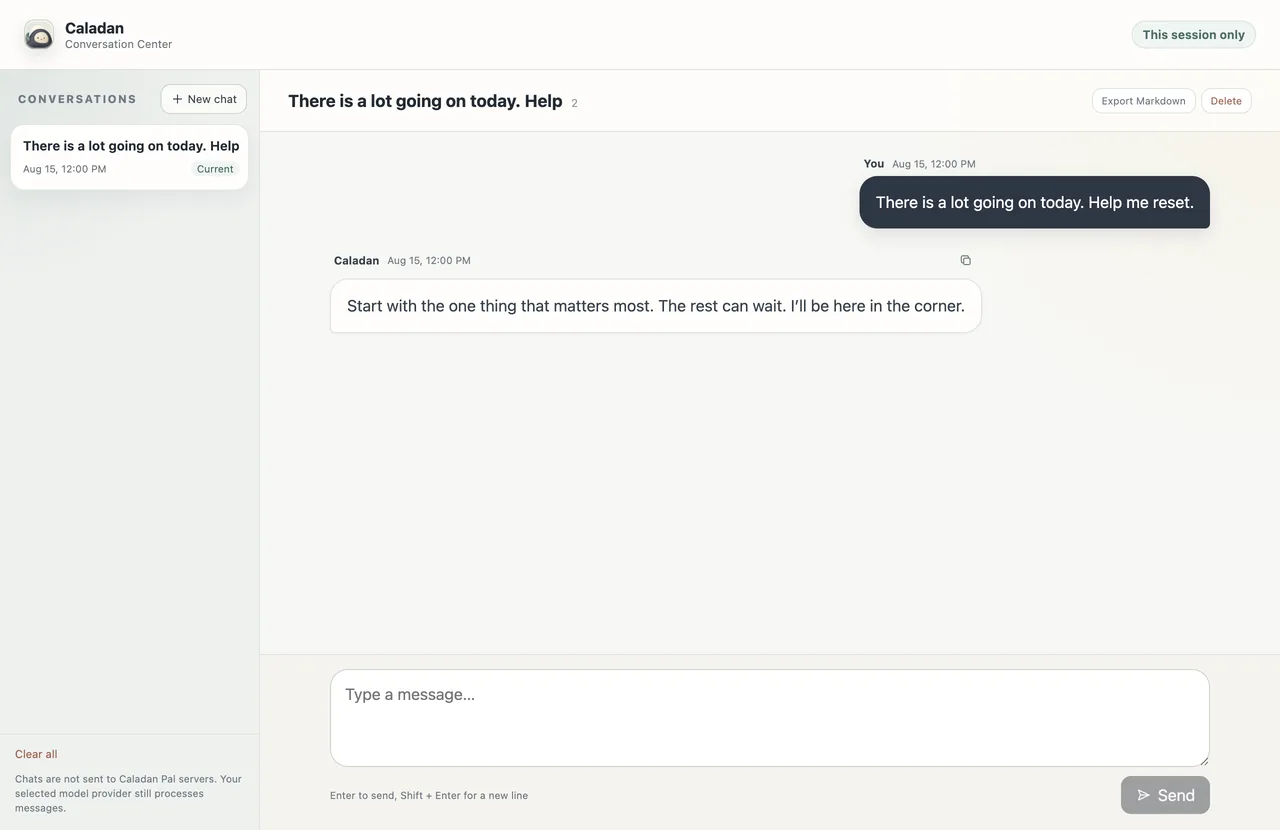
After you connect a model, chats travel directly from this computer to the provider you choose.
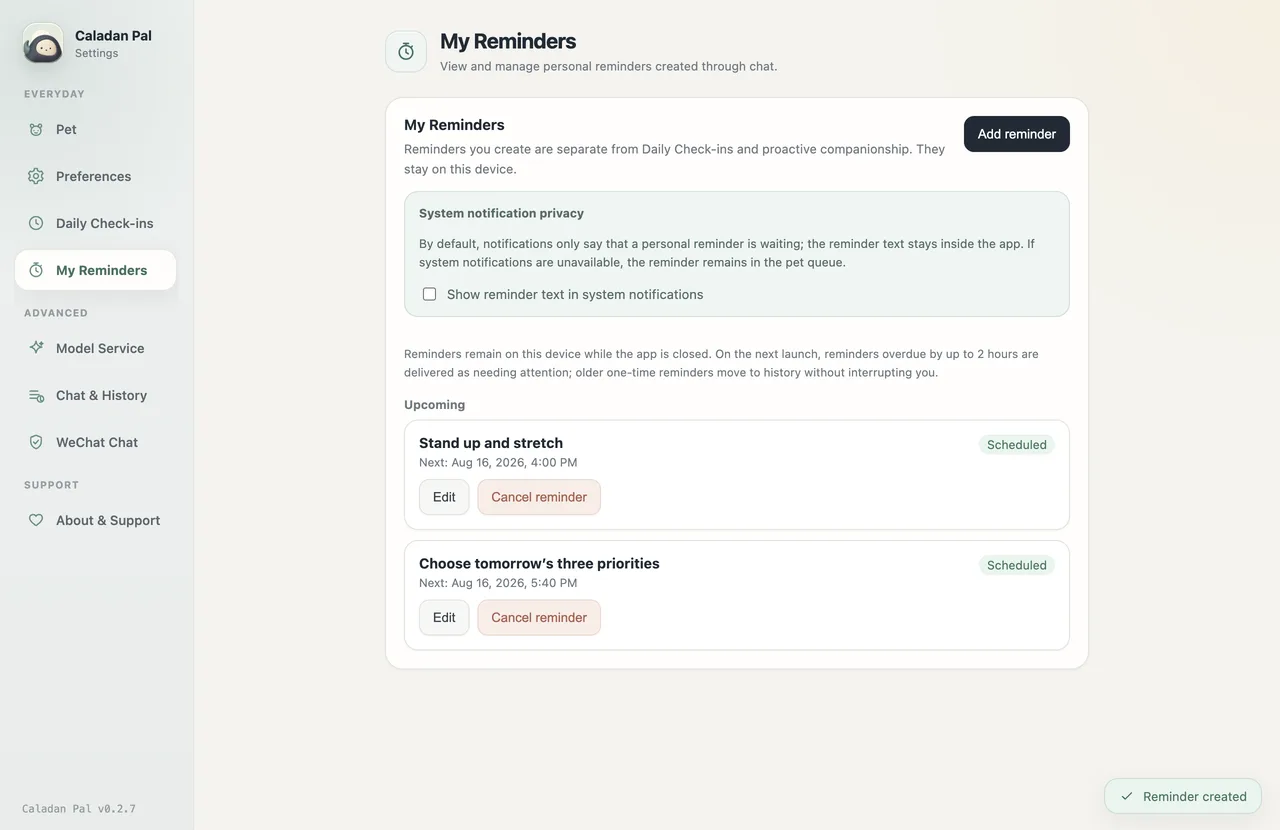
Write down something not to forget. Reminders stay on this device, and notification text is hidden by default.
Captured from an isolated demo of formal build 0.2.7. No real user data appears.
Character switching, little random scenes, Companion Rest Screen, local desktop filing, and on-device reminders are there from the start.
Connect an AI model you already use. Your companions will not ask you to do that today.
Keys stay on-device, and chats go directly to the provider you choose. See how data moves
A real Playground Rest Screen capture from the formal release. Press play when you feel like it.
Chinese narration and captions · This is not a secure system lock
Start right after download. Configure AI chat whenever you feel like it.
Current version: v0.5.1
Windows 10 or later · v0.5.1
Download for WindowsThe Windows installer is currently unsigned, so Windows may show “Unknown publisher.”
macOS 11 or later · v0.5.1
macOS packages are signed and notarized.
Android 10 or later · v0.1.2
Open Android download pageOfficial signed APK with installation steps, hashes, and certificate details.
Open them when you want to know.
Yes. Character switching, random little scenes, Companion Rest Screen, local desktop filing, edge docking, and on-device reminders all work before you configure a key. Only free-form conversation through an AI model needs one.
Only when you want a companion to call an AI model for free-form conversation. Keys stay on your computer and are encrypted with operating-system secure storage. Your chosen provider may charge for model usage.
No. Filing happens only on your computer: files or folders located directly on the desktop are moved into a desktop folder you choose and are never uploaded to Caladan Pal. Up to 20 items are accepted at once, and name collisions receive a unique name instead of overwriting an existing item.
No. Normal dragging stays normal. Spend a little longer on the character and a small scene may appear. Playful interactions can also be disabled in Settings.
This release adds a set of chance scenes and lightweight reactions. We intentionally do not publish every trigger as a rulebook, leaving them to unfold over time. Reduce Motion keeps the experience restrained.
No. It is a low-interruption full-screen companion mode, not authentication or data protection. Use the operating system lock when leaving your computer. Press ⌘ + ⌥ + L on macOS or Ctrl + Alt + L on Windows to enter or exit.
Reminder data stays on your device, but delivery requires Caladan Pal to be running. On the next launch, reminders overdue by up to two hours return as needing attention. Older one-time reminders move to history without interrupting you.
Never silently. Titles and messages are encrypted on this device only after you explicitly enable history. Session-only chats disappear when the app exits, and Markdown exports are readable plaintext.
The desktop app supports Windows 10 or later and macOS 11 or later. The lightweight Android companion app supports Android 10 or later.